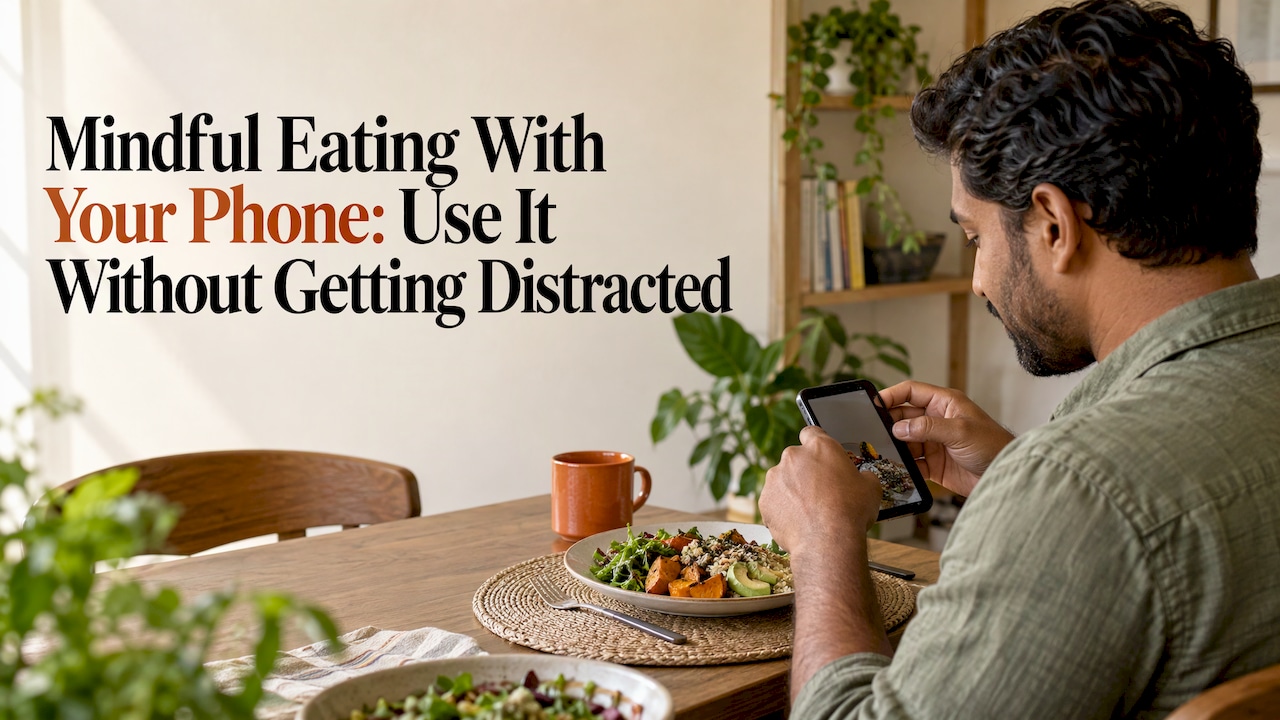
Meal Pacing App Features That Actually Help You Slow Down
Which meal pacing app features help you eat slower and feel fuller? A plain guide to live sessions, haptic cues, fullness checks and adaptive targets.

A good meal pacing app does one thing a timer cannot: it tells you how fast to eat this particular meal, then helps you hold that pace without staring at your phone. The features that matter are a pace based on the food in front of you, cues you can feel instead of read, a fullness check in the middle of the meal, targets that adapt, and a history that shows what is working. Stummy is built around exactly that set, and it does it without counting calories.
TL;DR
- A pacing app guides how you eat. A food diary or calorie tracker only records what you ate afterward.
- The features worth looking for: meal-specific pace, live guidance, haptic bite cues, mid-meal fullness checks, adaptive targets, history, mood insights, reminders and a quick-access widget.
- Research on mindful-eating apps found that most were simple timers, hunger ratings or diaries, and that guided, sensory prompts were missing.
- Slower eating has been linked to greater fullness after a meal, though individual results vary.
- Stummy is a free app that sets a pace from a photo of your meal. You can join the waitlist for early access.
Table of Contents
- What a meal pacing app actually does
- Why the features matter more than the idea
- The features to look for
- How a pacing session feels in practice
- Pacing app or meal planner?
- Choosing features that fit your routine
- Our perspective
- Try it
- FAQ
- Sources
What a meal pacing app actually does
Most people who eat too fast do not need more information about food. They need something that interrupts autopilot at the moment it happens: the third forkful of lunch eaten over a keyboard, the dinner finished before the conversation started.
A meal pacing app works inside the meal. It sets an expected pace for what you are eating, nudges you while you eat, checks how full you feel partway through, and learns from how you actually ate. Compare that with the other app categories you will see in search results:
| App type | What it focuses on | When it works |
|---|---|---|
| Calorie or macro tracker | Nutrients and totals | After you eat, or just before |
| Food journal | Notes on what and why | After the meal |
| Meal planner | Recipes, shopping lists, schedules | Days before the meal |
| Fasting app | Windows between eating | Between meals |
| Meal pacing app | Speed, bite rhythm, fullness | During the meal |
The distinction matters because the problem is different. If your issue is eating until you are uncomfortable or finishing a plate before your body has registered it, a log of yesterday’s lunch does not change today’s.
Why the features matter more than the idea
Slowing down is not a mystery. The real question is whether an app makes it easier to do at 12:40 on a Tuesday between meetings.
A 2019 review of 22 mindful-eating apps by Lyzwinski and colleagues found that most were merely eating timers, hunger-rating tools or diaries. The majority did not teach eating mindfully through all five senses, and none sent push notifications with messages tailored to mindful eating. The authors concluded that teaching mindful eating takes guided examples and engaging features, not only timing a meal or keeping a diary.
That is a useful checklist for choosing an app. Ask whether it guides you in the moment, whether the guidance fits the meal, and whether it keeps you engaged over weeks.
A separate analysis of 27 mindfulness-eating and eating-disorder apps found that only 6 asked about meal details such as type, time, location, size, thoughts and emotions, and 11 of the 27 let users set healthy-eating goals supported by reminders or motivational quotes. Most of the category is thin on detail. The features below are where an app earns its place on your phone.

The features to look for
A pace built from the meal itself
A generic five-minute timer treats a salad and a bowl of dense, chewy pasta as the same job. They are not. Texture, portion and food type change how many bites a meal contains and how long each one takes.

Stummy starts from a photo. It analyzes the food type, portion and texture, then generates an eating pace for that meal. A quick snap before you start replaces typing in ingredients, and the guidance is tied to the plate you actually have. Because the targets adapt with every meal, the pace you get on a rushed Thursday is not copy-pasted from last Sunday.
Live sessions during the meal
Guidance that only appears after you eat is a report. Guidance that runs while you eat is coaching. A live session gives you prompts at the moments you tend to speed up: the first minutes, when hunger is highest, and the final third, when the plate is almost empty and the pace creeps back up.
We go deeper on how real-time prompts work in our guide to live meal guidance.
Haptic bite cues
If a pacing app demands that you watch the screen, it has defeated its own purpose. You are now eating while looking at a phone, which is one of the most common forms of mindless eating.
Haptic cues solve that. A gentle vibration signals the rhythm of bites, so your eyes stay on your food, your coworkers or your family. Stummy uses haptic bite cues for this reason: the guidance is non-intrusive and screen-free.
Mid-meal fullness checks
Fullness is a signal that arrives late. A single prompt partway through the meal asks you to pause and rate how you feel, which gives the signal time to catch up. This is the feature that most directly addresses overeating and the discomfort that follows fast meals.
The science behind this is encouraging. In a 2015 study by Ferriday and colleagues, 40 participants ate the same tomato soup at a slow rate and a fast rate. When they ate slowly, they reported greater fullness at the end of the meal and in the interval afterward, and three hours later they remembered having eaten a larger portion. Stummy’s own research summary puts it simply: initial findings show that slower eating promotes satiation, though individual results vary.
If you want to understand what you are checking for, our piece on satiety signals explains how the body says “enough.”
Adaptive targets
A fixed goal becomes either too easy or too hard within a week. Adaptive targets move with your habits: if you consistently hit the pace for light lunches but rush dinner, the guidance for dinner changes rather than nagging you with the same number.
This is the clearest difference between a pacing app and a stopwatch. Stummy sets individualized paces from each meal’s photo and adapts targets with every meal rather than relying on generic timers.
History tracking you can read at a glance
A pacing history answers practical questions. Which meals do you rush? Which days? Does eating at your desk change the result? Look for trends, not a wall of data. In the ACM review above, apps typically showed progress through bars, calendar checks or icons, which is the right level of detail: enough to see a pattern, not enough to feel like homework.
Mood-based insights
Speed is rarely only about hunger. Stress, boredom and a bad afternoon push many people to eat quickly. Among the mindful-eating apps in the 2019 review, only 10 of 22 (45%) let users reflect on eating motives such as stress versus internal hunger. Pairing pace with mood is how you find out why you rush.
Stummy includes insights that reflect mood and eating pace. If you want to understand the patterns behind them, start with how to identify your mood eating triggers and what to record in mood and food tracking.
Reminders and a home widget
Habits fail at the starting line more often than at the finish. Reminders that arrive before your usual meal times and a home widget that starts a session in one tap remove the friction. For a busy professional, that can be the difference between using the app on Monday and abandoning it by Friday.
No calorie counting
This is a feature, not an omission. Calorie tracking asks for precise numbers at every meal, and research shows how hard that is from a photo alone. In a free-living smartphone test, one food-recognition system’s top-five accuracy dropped to 55% because of lighting, mixed dishes and shooting angles.
A pacing app has a different job. It does not need an exact nutrient total; it needs to know roughly what kind of food, how much and how firm or soft it is, so it can set a sensible rhythm. Stummy operates without tracking calories and puts the focus on mindful eating and gradual habit change. If counting numbers makes meals more stressful for you, this approach removes that pressure.
How a pacing session feels in practice
Here is what a lunch could look like for a busy professional using an app with this feature set:
- Before you eat. You take a photo of your plate. The app reads the food type, portion and texture and gives you a pace for the meal.
- First bites. A haptic cue sets the rhythm while your phone stays face down on the desk.
- Midway. A fullness check asks you to pause and notice where you are.
- The last third. Another cue slows the final bites, the stretch where most people speed up.
- Afterward. You log your mood. The history records the pace, and the next meal’s target adjusts.
Nothing in that loop requires a diary entry, a calorie number or a recipe. If you want a broader plan for fitting this around a packed day, our guide to mindful eating on a busy schedule covers it.
Pacing app or meal planner?
They solve different problems, and they work well side by side. A planner decides what you will eat and when; a pacing app shapes how you eat it. If your week is chaotic, a structured approach to planning the week’s meals as a family can make dinner easier to organize. Once the plate is on the table, pacing is what helps you enjoy it and stop at the right moment.
Choosing features that fit your routine
Use this short list when you compare options:
- Does it guide during the meal? If not, it is a diary.
- Is the pace specific to the meal? Look for adaptation, not one fixed timer.
- Can you use it without watching the screen? Haptic cues keep your attention on the table.
- Is there a mid-meal check? It gives fullness time to register.
- Does it connect pace to mood? That is how you learn why you rush.
- How fast can you start? A widget and reminders matter more than extra settings.
- Does it ask for calorie data? If you want less number-focused eating, choose an app that does not.
- What does it do with your photos? Food images can reveal details about routines and household habits, so read the privacy policy of any app that asks for them.
Those last two points are worth a minute. The privacy reviews of dietary apps show how much variation there is: in an evaluation of 11 apps, only 3 privacy policies described data encryption. Whichever app you choose, check the policy before you upload meal photos.
Our perspective
Most people we talk to about eating fast already know they should slow down. What they lack is a prompt at the exact moment it matters, one that does not add another screen to a meal.
That is why we designed Stummy around the meal in front of you. A photo gives the app the food type, portion and texture. From that, it builds a pace for that meal, and it adapts the next target based on how you actually ate. Haptic cues let you keep your eyes on your food. A mid-meal fullness check gives your body time to report in.
We deliberately left calorie counting out. Eating pace is a habit, and habits change through small, repeated, low-pressure moments, not through arithmetic. Our mood insights are there to show you when and why you rush, so the change comes from understanding, not willpower alone.
Initial research shows that slower eating promotes satiation, though individual results vary. We build for the part we can influence: making the slower meal easier to start and easier to repeat.
VEID
Try it
Stummy is a free mobile app with no in-app purchases or subscriptions. It combines photo-based pacing, live sessions, haptic bite cues, mid-meal fullness checks, adaptive targets, history tracking, mood insights, reminders and a home widget. Early access runs through a waitlist, and you can join the waitlist at stummy.app.

If you would like to start with habits before the app, our guides on how to eat slower and how to take smaller bites are a good place to begin, and the full Stummy blog collects the rest.
FAQ
What is a meal pacing app?
It is an app that helps you control how fast you eat while you are eating. It gives you a target pace, cues to hold it and often a check on how full you feel. That separates it from a food diary or calorie tracker, which record a meal rather than guide it.
Do I need to count calories to use one?
No. Pacing depends on the kind of food, the portion and the texture, not on a calorie total. Stummy works without calorie tracking and focuses on mindful eating and gradual habit change.
Does eating slower really make you feel fuller?
Research points that way. In a 2015 study, participants who ate the same soup slowly reported greater fullness at the end of the meal and afterward than those who ate it fast. Individual results vary, which is why an adaptive app that learns your habits is useful.
Will I have to look at my phone while I eat?
Not with haptic cues. The vibrations carry the rhythm, so you can keep your attention on your food and the people around you. Stummy’s guidance is designed to be screen-free during the meal.
How much does Stummy cost?
Stummy is a free mobile app with no in-app purchases or subscriptions. You can join the waitlist for early access on the Stummy site.
Sources
- Mindful Eating Mobile Health Apps: Review and Appraisal (Lyzwinski et al.)
- Functionality and User Review Analysis of Mobile Apps for mindfulness eating and eating disorders (ACM)
- Effects of eating rate on satiety: A role for episodic memory (Ferriday et al.)
- A comprehensive review of AI for food recognition (Springer)
- Mobile Apps for Dietary and Food Timing Assessment (PMC)
- Planification des repas de la semaine